Khaqan
How to write an llms.txt for a business website
Think of llms.txt as an optional reading map. The real evidence still lives on the linked pages.
In this story
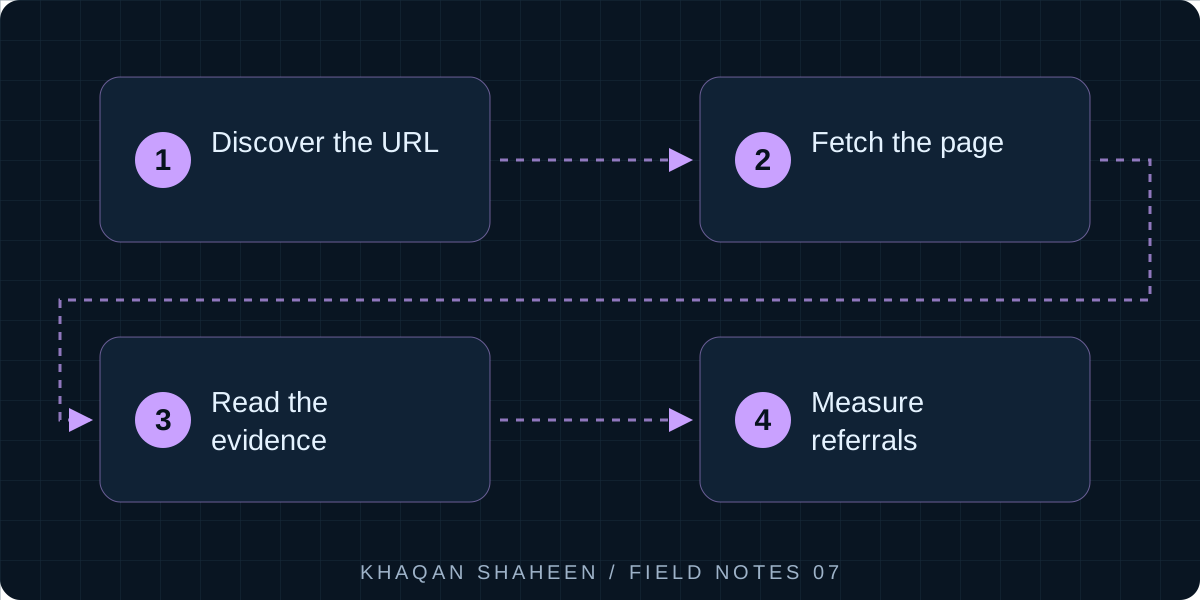
- 01Discover the URL
- 02Fetch the page
- 03Read the evidence
- 04Measure referrals
An llms.txt is a short Markdown file at /llms.txt that gives a language model a curated map of your site: a name, a summary and the pages that matter, one line each. It takes about an hour to write. Whether the big AI companies read it yet is an open question, but it costs nothing to add.
The idea was proposed in September 2024 by Jeremy Howard, and the specification lives at llmstxt.org. A model that fetches your site gets navigation, cookie banners and scripts mixed in with the content, and it has a limited window to read it in. A short, clean index gives it a better start. I have added one to every site I run. This is how I write them and how I check they are reachable, which is the step people skip.
Step 1: learn the format
The specification is short. In order:
- An H1 with the business or site name. This is the only required element.
- A blockquote immediately after it with a short summary, the few sentences a model needs to make sense of the rest.
- Any paragraphs or lists that give more context. No headings in this part.
- H2 sections, each containing a list of links in the form
- [Title](https://url): one-line description. - An optional final H2 called
Optional, for links that can be skipped when space is short.
The skeleton:
# Business name

> One or two sentences on what the business does, where, and for whom.

A short paragraph of context that does not fit in the summary.

## Services

- [Service name](https://example.com/services/name): what it is and who it is for.

## Optional

- [Blog](https://example.com/blog): articles, less important than the pages above.
The specification also allows a companion llms-full.txt holding the full text of the linked pages in Markdown. It is optional, and I start without it.
Step 2: decide what to put in for a services business
Think of the file as the briefing you would give a new receptionist on their first morning. For a services business that means:
- What you do, as a list of services with one line each. If you publish prices or a price range, say so and link to the page.
- Where you serve. Emirates, cities, neighbourhoods. A model answering "plumber near me in Al Nahda" needs the place name, not "across the UAE".
- Who you serve. Homes, offices, landlords, facilities companies.
- How to book and how to get in touch, both pages linked.
- Hours, including whether you take emergency calls.
- The questions customers ask most, which is your FAQ page.
- Public credentials: trade licence, certifications, insurance, if already on the site.
Every line should point to a page that exists and says the same thing. If the price in the file disagrees with the page, a model can trust neither. When I first did this on my own site I found prices that disagreed between pages; the file did not cause that, but it exposed it.
Step 3: decide what to leave out
- Login pages, carts, checkout, account pages.
- Terms, privacy and cookie policies. Put them under
Optionalif you must. - Tag archives, category pages, pagination, search result pages.
- Hundreds of links. This is a map, not a sitemap. Past forty or fifty lines you are no longer curating.
- Tracking parameters in URLs.
- Marketing copy with no facts. "Trusted by thousands" tells a model nothing it can use.
- Facts that do not appear on a page. If something is only in llms.txt, it will be quoted with nothing to back it up.
Step 4: a complete worked example
A fictional plumbing company in Sharjah, on the reserved .example domain so nothing here collides with a real business.
# Bluepipe Plumbing

> Licensed plumbing company in Sharjah, UAE, serving homes and small businesses across Sharjah and Ajman. Emergency call-outs at any hour, fixed prices for common jobs, booking by WhatsApp or online.

Bluepipe Plumbing is a registered plumbing contractor based in Al Qasimia, Sharjah. Prices on this site are in UAE dirhams and include VAT. Emergency call-outs outside 8am to 8pm carry the surcharge shown on the pricing page. All work carries a 30 day workmanship guarantee.

## Services

- [Emergency plumber](https://www.bluepipeplumbing.example/services/emergency-plumber): burst pipes, major leaks and blocked drains, one hour response target across Sharjah.
- [Water heater repair and replacement](https://www.bluepipeplumbing.example/services/water-heaters): repair of electric and solar heaters, replacement with supply and fitting.
- [Leak detection](https://www.bluepipeplumbing.example/services/leak-detection): thermal and acoustic detection for hidden leaks in walls, floors and roof tanks.
- [Bathroom and kitchen plumbing](https://www.bluepipeplumbing.example/services/bathroom-kitchen): new installations and replacement of taps, mixers, WCs and sinks.
- [Water tank cleaning](https://www.bluepipeplumbing.example/services/tank-cleaning): cleaning and disinfection of roof and underground tanks with a written report.

## Pricing

- [Price list](https://www.bluepipeplumbing.example/pricing): fixed prices for call-outs, tap replacement, drain clearing and heater installation, and what is charged by the hour.

## Areas served

- [Sharjah](https://www.bluepipeplumbing.example/areas/sharjah): Al Nahda, Al Majaz, Al Khan, Muwaileh, Al Qasimia and the industrial areas.
- [Ajman](https://www.bluepipeplumbing.example/areas/ajman): Al Rashidiya, Al Nuaimiya and Ajman Industrial.

## Booking and contact

- [Book online](https://www.bluepipeplumbing.example/book): choose a service and a two hour slot, pay on completion.
- [Contact](https://www.bluepipeplumbing.example/contact): phone, WhatsApp, office address and opening hours.

## Frequently asked questions

- [FAQ](https://www.bluepipeplumbing.example/faq): what a call-out includes, whether parts are included, and how the guarantee works.

## About

- [About Bluepipe](https://www.bluepipeplumbing.example/about): trade licence number, the team, insurance cover and years in operation.

## Optional

- [Blog](https://www.bluepipeplumbing.example/blog): maintenance guides and seasonal advice.
- [Terms of service](https://www.bluepipeplumbing.example/terms): booking, cancellation and guarantee terms.
The summary gives a model the trade, the two emirates, emergency cover, fixed prices and how to book. The paragraph after it settles currency, VAT and the guarantee, the things a model would otherwise guess at.
Step 5: serve it as text/plain or text/markdown
The file is static and sits at the web root. Most servers already send .txt as text/plain, which is fine. The specification prefers text/markdown, which takes one rule.
On nginx:
location = /llms.txt {
    types { }
    default_type "text/markdown; charset=utf-8";
}
On a static host that reads a _headers file, such as Netlify:
/llms.txt
  Content-Type: text/markdown; charset=utf-8
If a framework owns every route, serve it from a route rather than fighting the router. In FastAPI:
from fastapi import FastAPI
from fastapi.responses import PlainTextResponse

app = FastAPI()

@app.get("/llms.txt")
def llms_txt():
    with open("static/llms.txt", encoding="utf-8") as f:
        return PlainTextResponse(f.read(), media_type="text/markdown; charset=utf-8")
Two things to watch. A catch-all route can swallow /llms.txt and return your 404 page with a 200 status, which looks fine in a browser and is useless to a crawler. And a trailing-slash rule will redirect the file to /llms.txt/, a different resource.
Step 6: check it is reachable
Do not open it in a browser and call it done. Ask for it as a crawler would.
curl -s -o /dev/null -w "%{http_code} %{content_type} %{size_download}\n" https://www.bluepipeplumbing.example/llms.txt
You want a 200, a text type and a size that matches the file. Then repeat with a bot user agent, because a firewall can pass a browser and block a crawler on the same URL.
curl -s -o /dev/null -w "%{http_code}\n" -A "Mozilla/5.0 (compatible; GPTBot/1.0)" https://www.bluepipeplumbing.example/llms.txt
Then check every link in the file, because a map that points at missing pages is worse than no map.
curl -s https://www.bluepipeplumbing.example/llms.txt | grep -o 'https://[^)]*' | while read u; do
  echo "$(curl -s -o /dev/null -w '%{http_code}' -L "$u")  $u"
done
Every line should show 200. I published one with links that returned 404 because of a redirect rule I had forgotten, and only noticed when I ran this loop. Finally, make sure robots.txt does not disallow the file, and check your server logs after a few weeks to see who fetches it.
Common questions
Do ChatGPT, Claude or Google actually read llms.txt?
Unevenly, and nobody has committed to it in writing. Anthropic publishes one for its own documentation, several documentation tools generate it, and Google has said publicly that Search does not use it. In my own logs I have seen occasional requests for the file and nothing that proves it changed an answer. Treat it as cheap insurance and a useful editorial exercise.
Should I also publish llms-full.txt?
Only if your site is small and the content is stable. The full file duplicates your pages, so every edit has to happen twice or the two drift apart. For a services site I would keep the short file accurate and leave the full one until a consumer asks for it.
Does llms.txt replace robots.txt or the sitemap?
No. robots.txt says what may be fetched, the sitemap lists everything that exists, and llms.txt is the short curated list of what matters. All three belong on the site and none conflicts with the others.