Khaqan
Odoo: how to stop two work orders being booked on the same machine at the same time
The second planner clicks Save a fraction of a second later. Does your check still hold?
In this story
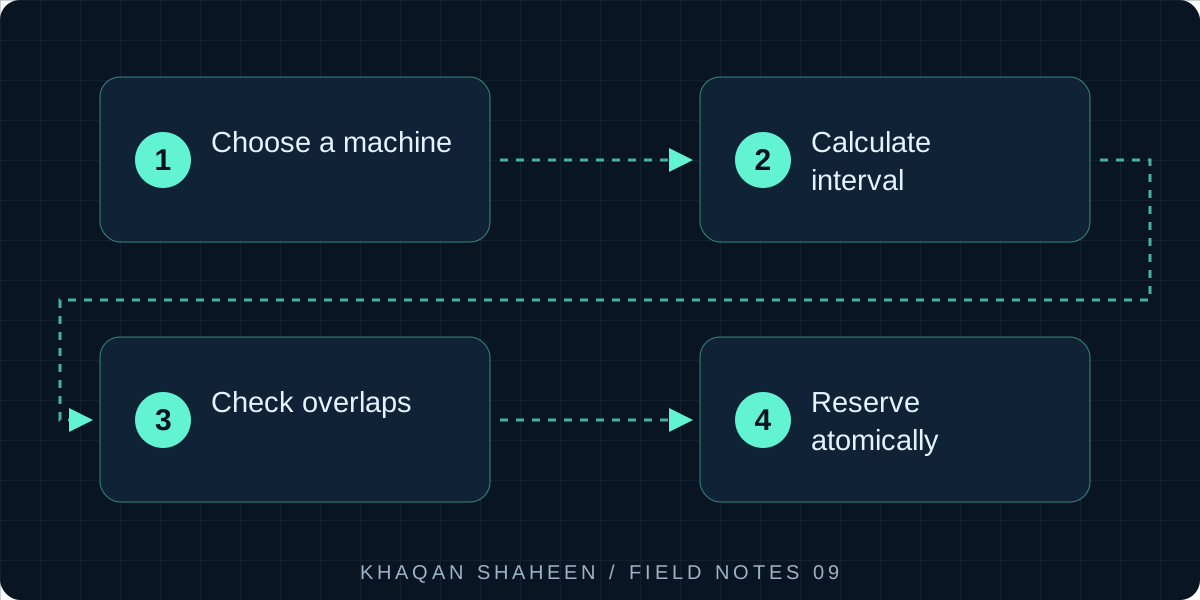
- 01Choose a machine
- 02Calculate interval
- 03Check overlaps
- 04Reserve atomically
By the end of this you will have a small Odoo 17 module that refuses to save a work order overlapping another on the same machine, names the orders it clashes with, and holds even when two planners save at the same moment. It is written for people who own or build a manufacturing ERP.
What you need
- Odoo 17, Community or Enterprise, with the Manufacturing app (
mrp) installed - PostgreSQL 13 or later (I run 16), with rights to create extensions
- A development database you are free to break
- Working knowledge of Odoo modules: models, views, the manifest
This is the pattern, simplified. It is not the code I run in production, which carries shifts, split orders and machine-change wizards on top of the same bones.
Why the check belongs on the server
The obvious place to stop a double booking is the form: grey out the machine, show a warning, block the save button. That protects one path into the data and leaves every other path open. Work orders are also written by manufacturing order confirmation, imports, XML-RPC integrations, scheduled actions and other modules. None of those go through your form.
So the rule lives on the model, where every write passes through it. In Odoo that means @api.constrains, not @api.onchange. An onchange runs while a user edits a form in the browser, and only there. It never fires on create() or write() called from code. A constraint fires on every create and write that touches the fields it declares, whoever is doing the writing. I learned the difference the hard way, watching a rule that behaved perfectly in the form get bypassed by an import soon after it went live.
1. The machine and the work order fields
Odoo's mrp.workorder already carries date_start and date_finished (in Odoo 17 these replaced the older date_planned_* names) and a workcenter_id. A work centre is usually a group of machines, so I add a machine model and put the guard on the machine.
# models/plant_machine.py
from odoo import fields, models


class PlantMachine(models.Model):
    _name = 'plant.machine'
    _description = 'Machine'

    name = fields.Char(required=True)
    workcenter_id = fields.Many2one('mrp.workcenter', string='Work centre')
    active = fields.Boolean(default=True)
Give it ir.model.access.csv lines for the manufacturing user and manager groups.
2. The overlap constraint
Two windows overlap when one starts before the other finishes and finishes after the other starts. That one condition covers partial overlap either way, one window inside the other, and identical windows. Touching end points (one finishes at 10:00, the next starts at 10:00) are not an overlap under strict comparisons, which is what a planner expects.
# models/mrp_workorder.py
from odoo import _, api, fields, models
from odoo.exceptions import ValidationError


class MrpWorkorder(models.Model):
    _inherit = 'mrp.workorder'

    machine_id = fields.Many2one('plant.machine', string='Machine', index=True)
    conflict_count = fields.Integer(
        compute='_compute_conflict_count',
        search='_search_conflict_count',
    )

    def _find_conflicts(self):
        self.ensure_one()
        if not (self.machine_id and self.date_start and self.date_finished):
            return self.browse()
        return self.search([
            ('machine_id', '=', self.machine_id.id),
            ('id', '!=', self.id),
            ('state', '!=', 'cancel'),
            ('date_start', '<', self.date_finished),
            ('date_finished', '>', self.date_start),
        ])

    @api.constrains('machine_id', 'date_start', 'date_finished', 'state')
    def _check_machine_overlap(self):
        for wo in self:
            if wo.state == 'cancel':
                continue
            clashes = wo._find_conflicts()
            if clashes:
                names = ', '.join(
                    f'{c.name} ({c.production_id.name})' for c in clashes
                )
                raise ValidationError(_(
                    'Machine %(machine)s is already booked in this window by '
                    '%(count)d work order(s): %(names)s',
                    machine=wo.machine_id.name,
                    count=len(clashes),
                    names=names,
                ))
The error names the conflicting work orders and their manufacturing orders. A message that says only "machine busy" gets worked around; one that says which order is in the way starts a conversation between two planners.
Cancelled orders are excluded. Whether to exclude done as well is a judgement: a finished order sits in the past, but excluding it lets someone back-date a new order over a real run. I leave done in.
3. The conflict count and the drill-through
When you retrofit the rule into a live plant there are already clashes in the data, and planners need to see them before the system starts refusing saves. That is what the computed count and its search method are for.
    @api.depends('machine_id', 'date_start', 'date_finished', 'state')
    def _compute_conflict_count(self):
        for wo in self:
            wo.conflict_count = len(wo._find_conflicts())

    def _search_conflict_count(self, operator, value):
        if operator not in ('=', '!=', '>', '<') or not isinstance(value, int):
            raise NotImplementedError()
        compare = {
            '=': lambda a, b: a == b, '!=': lambda a, b: a != b,
            '>': lambda a, b: a > b, '<': lambda a, b: a < b,
        }[operator]
        live = self.search([('state', 'not in', ('done', 'cancel'))])
        matching = live.filtered(lambda wo: compare(wo.conflict_count, value))
        return [('id', 'in', matching.ids)]

    def action_open_conflicts(self):
        self.ensure_one()
        return {
            'type': 'ir.actions.act_window',
            'name': _('Conflicting work orders'),
            'res_model': 'mrp.workorder',
            'view_mode': 'tree,form',
            'domain': [('id', 'in', self._find_conflicts().ids)],
            'context': {'create': False},
        }
The field is not stored, because its value changes when other records change and the ORM's dependency tracking cannot express that. The search method is what lets a planner filter the list on conflict_count > 0. It runs one query per live work order; if your table is large, rewrite it as a self-join in SQL.
The smart button goes in the work order form's button box:
<!-- views/mrp_workorder_views.xml -->
<odoo>
    <record id="mrp_workorder_form_machine_guard" model="ir.ui.view">
        <field name="name">mrp.workorder.form.machine.guard</field>
        <field name="model">mrp.workorder</field>
        <field name="inherit_id" ref="mrp.mrp_production_workorder_form_view_inherit"/>
        <field name="arch" type="xml">
            <xpath expr="//div[@name='button_box']" position="inside">
                <button name="action_open_conflicts" type="object"
                        class="oe_stat_button" icon="fa-exclamation-triangle"
                        invisible="conflict_count == 0">
                    <field name="conflict_count" widget="statinfo" string="Conflicts"/>
                </button>
            </xpath>
            <xpath expr="//field[@name='workcenter_id']" position="after">
                <field name="machine_id"/>
            </xpath>
        </field>
    </record>
</odoo>
Note the Odoo 17 syntax: invisible="conflict_count == 0" as a plain attribute. The old attrs dictionary was removed in 17.
The manifest:
# __manifest__.py
{
    'name': 'Machine Overlap Guard',
    'version': '17.0.1.0.0',
    'category': 'Manufacturing',
    'depends': ['mrp'],
    'data': [
        'security/ir.model.access.csv',
        'views/mrp_workorder_views.xml',
    ],
    'installable': True,
    'license': 'LGPL-3',
}
4. The race the constraint cannot see
Here is the gap. Two planners book the same machine for the same window and press save within the same second. Each request runs in its own database transaction. Each constraint searches for overlaps and finds none, because the other planner's row is not committed yet. Both commit. You now have the double booking the code was written to prevent, and no error anywhere.
A Python check cannot close this, because it reads a snapshot. Only the database can, and PostgreSQL has the exact tool: an exclusion constraint over a range type, enforced under the same locking as a unique index.
CREATE EXTENSION IF NOT EXISTS btree_gist;

ALTER TABLE mrp_workorder
    ADD CONSTRAINT mrp_workorder_machine_no_overlap
    EXCLUDE USING gist (
        machine_id WITH =,
        tstzrange(date_start AT TIME ZONE 'UTC',
                  date_finished AT TIME ZONE 'UTC', '[)') WITH &&
    )
    WHERE (state <> 'cancel'
           AND machine_id IS NOT NULL
           AND date_start IS NOT NULL
           AND date_finished IS NOT NULL);
Three things to know. btree_gist is needed because a GiST index cannot do equality on an integer column without it; the extension is marked trusted in PostgreSQL 13 and later, so the database owner can install it without superuser rights. Odoo stores Datetime fields as timestamp without time zone holding UTC, so the columns are converted before building the tstzrange, and the '[)' bound makes the range half-open to match the strict comparisons in Python (tsrange on the raw columns also works). The WHERE clause keeps cancelled and incomplete rows out of the index, so the constraint agrees with the ORM rule.
Now the second of two simultaneous saves waits for the first to commit, then fails with an exclusion violation. The user sees a blunter error than the ValidationError, which is why both layers exist: Python handles the everyday case with a good message, and the database handles the one case Python cannot.
I run the two statements from the model's init() method, which Odoo calls on every install and update, behind a check on pg_constraint so they run once. The constraint refuses to be created while overlapping rows exist, which is the right order of events: filter on conflict_count > 0, clear the clashes with the planners, then update the module. Shipping the count before the block is a sequencing decision, not a coding one.
5. Testing it
Test both layers separately. The Python test is ordinary. The database test bypasses the ORM on purpose.
# tests/test_overlap.py
from psycopg2.errors import ExclusionViolation
from odoo.exceptions import ValidationError
from odoo.tests import TransactionCase, tagged
from odoo.tools import mute_logger


@tagged('post_install', '-at_install')
class TestMachineOverlap(TransactionCase):
    # setUp creates self.machine and two work orders on one manufacturing
    # order: self.wo1 booked 08:00 to 12:00 on the machine, self.wo2 unbooked

    def test_orm_refuses_overlap(self):
        with self.assertRaises(ValidationError):
            self.wo2.write({
                'machine_id': self.machine.id,
                'date_start': '2026-09-08 10:00:00',
                'date_finished': '2026-09-08 14:00:00',
            })

    @mute_logger('odoo.sql_db')
    def test_database_refuses_overlap(self):
        with self.assertRaises(ExclusionViolation), self.env.cr.savepoint():
            self.env.cr.execute(
                "UPDATE mrp_workorder SET machine_id = %s, "
                "date_start = %s, date_finished = %s WHERE id = %s",
                (self.machine.id, '2026-09-08 10:00:00',
                 '2026-09-08 14:00:00', self.wo2.id),
            )
./odoo-bin -d dev17 -i machine_overlap_guard --test-enable \
    --test-tags /machine_overlap_guard --stop-after-init
To see the race with your own eyes, open two psql sessions. In the first, BEGIN and run an UPDATE that books the machine, without committing. In the second, book an overlapping window. The second session blocks. Commit the first, and the second fails with conflicting key value violates exclusion constraint.
Common questions
Should the guard sit on the work centre instead of a machine?
Only if every work centre is a single physical machine. In most plants a work centre is a group, and two orders can legitimately run side by side on different machines within it. A constraint that refuses valid plans gets switched off within a month. Model the machine, and let the work centre stay as Odoo's costing and capacity grouping.
What about orders that genuinely share a machine, like a changeover overlapping the next run?
Model the exception rather than weakening the rule. A changeover is its own record with its own window, or the next order's start is set to the end of it. If you find yourself wanting an "allow overlap" tick box, the box will be ticked whenever the message is inconvenient, and you are back where you started.
Does the exclusion constraint slow down saving work orders?
Not in any way you will notice. A GiST index on an integer plus a range is small, and the check on insert or update is an index probe. The cost to plan for is organisational: the clean-up of existing overlaps comes first, and the raw database error needs rewording for a planner if the race ever fires.
Would these two orders collide?
Order A runs from 09:00 to 11:00. Order B lasts two hours. Move its start time to test the overlap rule.
Conflict: both orders use the machine from 10:00 to 11:00.
Demonstration assumes half-open intervals [start, end): a job may start when the previous one ends. Add setup time if your process requires it.