Khaqan
A WhatsApp AI sales agent that hands leads to your ERP: the architecture
The useful outcome is a qualified lead somebody can act on, not an endless conversation.
In this story
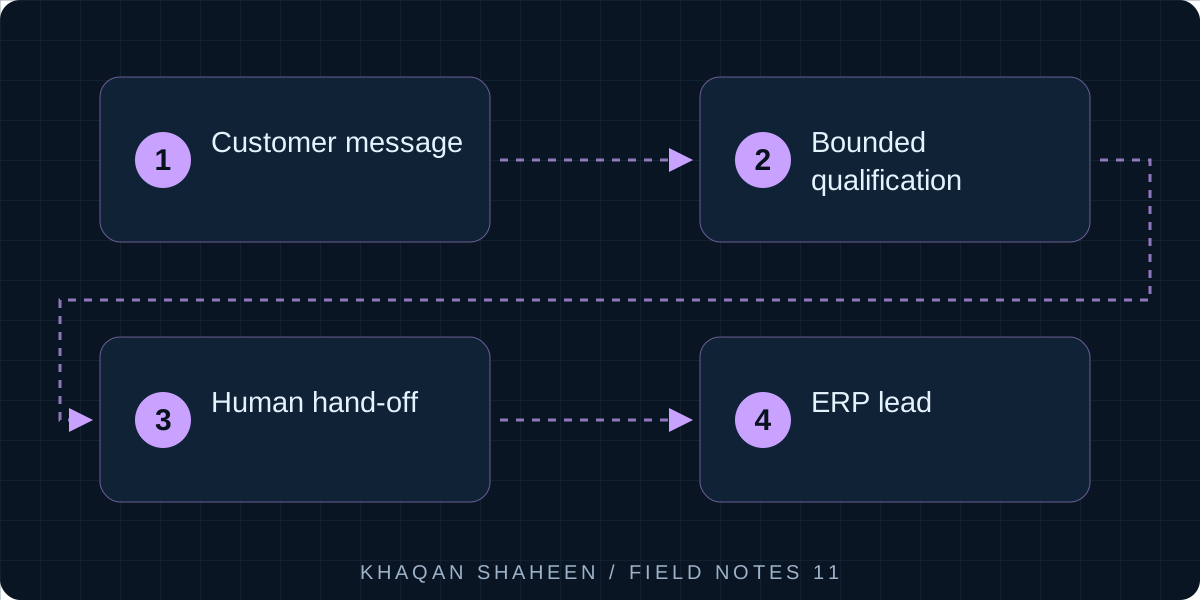
- 01Customer message
- 02Bounded qualification
- 03Human hand-off
- 04ERP lead
A webhook receives each WhatsApp message, a session store keyed by phone number holds the conversation, and a model with four tools answers from a catalogue it cannot contradict. Money, complaints and requests for a person go to a human. Qualified enquiries become leads in the ERP through its API.
I built one for a manufacturing group, running several WhatsApp numbers and the group websites through one platform, and a smaller one for my own venture. What follows is that shared shape in generic Python, not production code. The chat is the easy part. The boundaries are the design.
Step 1: the components
- A WhatsApp Business Platform webhook: Meta delivers messages to your URL and you reply through the Graph API.
- A session store keyed by phone number: recent turns, state (open, human, closed), language, lead id, last message time.
- A language model with four tools: look up a service, quote a price, create a lead, hand over to a human.
- The catalogue: one table of services, variants, prices and units, the only source of any number a customer sees.
- The hand-off rule, enforced in code as well as in the prompt.
- A review queue, a log of every turn, and rate limits.
- The ERP connection that creates the lead.
Step 2: the webhook
Meta verifies the endpoint once with a GET carrying hub.mode, hub.verify_token and hub.challenge. Messages then arrive as POSTs shaped entry[].changes[].value.messages[]. Return 200 within a few seconds or Meta retries, so do the work in the background. Check the X-Hub-Signature-256 header against your app secret, or anyone who finds the URL can feed your bot.
import hmac
import hashlib
from fastapi import FastAPI, Request, Response, BackgroundTasks

app = FastAPI()

@app.get("/webhook")
async def verify(request: Request):
    q = request.query_params
    if q.get("hub.mode") == "subscribe" and q.get("hub.verify_token") == VERIFY_TOKEN:
        return Response(q.get("hub.challenge"), media_type="text/plain")
    return Response(status_code=403)

@app.post("/webhook")
async def receive(request: Request, background: BackgroundTasks):
    raw = await request.body()
    expected = "sha256=" + hmac.new(APP_SECRET.encode(), raw, hashlib.sha256).hexdigest()
    if not hmac.compare_digest(expected, request.headers.get("X-Hub-Signature-256", "")):
        return Response(status_code=403)
    body = await request.json()
    for entry in body.get("entry", []):
        for change in entry.get("changes", []):
            for msg in change.get("value", {}).get("messages", []):
                if msg.get("type") == "text":
                    background.add_task(handle_turn, msg["from"], msg["id"], msg["text"]["body"])
    return {"status": "received"}
A reply is one POST to the Graph API messages endpoint for your phone number id, with messaging_product set to whatsapp, the recipient in to and the message in text.body.
Step 3: the turn handler
Every rule lives here, in this order: deduplicate, rate limit, load the session, respect a human owner, cap the input, run the model, act on tool calls, check the reply against the catalogue, log, send.
def handle_turn(phone: str, message_id: str, text: str) -> None:
    if store.seen(message_id):
        return
    if store.over_limit(phone):
        send_text(phone, "A colleague will reply during working hours.")
        return
    session = store.load(phone)
    log_turn(phone, message_id, "in", text)
    if session.state == "human":
        return
    text = text[:1500]
    reply, calls = model.respond(session.history, text, tools=TOOLS)
    for call in calls:
        if call.name == "handover":
            session.state = "human"
            queue.add(phone, reason=call.args["reason"])
        elif call.name == "create_lead":
            session.lead_id = create_lead(**call.args)
            queue.add(phone, reason="new lead")
    reply = enforce_catalogue(reply, calls)
    session.append(text, reply)
    store.save(session)
    log_turn(phone, message_id, "out", reply, calls)
    send_text(phone, reply)
enforce_catalogue is the part people leave out. It finds every currency amount in the reply and checks it against what quote_price returned this turn. Any amount that did not come from the tool is replaced with a line saying a colleague will confirm, and the conversation is flagged. A prompt can say "never invent prices" a hundred times. Code is what makes it true.
Step 4: the tools and the catalogue
Four tools are enough. More tools means more ways to be wrong.
lookup_service(query)returns matching catalogue entries, so the model can answer "do you do X".quote_price(service_id, variant, quantity)returns the price and unit. The model never sees a price any other way.create_lead(contact_name, phone, summary)runs once the model has a name and a clear enquiry.handover(reason)ends the model's ownership of the conversation.
The catalogue is a table in your own database: service, variant, price, unit, area, active flag. The system prompt carries service names and descriptions, but not prices. If a customer asks about something not in the catalogue, the right answer is that a person will confirm, not a plausible guess.
Step 5: the hand-off rule and the review queue
The rule I use: anything about money beyond quoting a listed price (discounts, negotiation, payment terms, refunds), any complaint, any request for a person, anything the catalogue cannot answer twice in a row, and any language the agent was not configured for. On hand-off the agent tells the customer that a person will take over and when, sets the session state, alerts staff, and goes quiet on that number until a person releases it.
The review queue holds every lead and hand-off. A person reads the transcript, corrects the lead and marks it reviewed. I also sample routine conversations that triggered neither. Those notes are the best evaluation data you will get, and you cannot manufacture them.
Step 6: create the lead in the ERP
The lead goes into the pipeline the sales team already uses. In Odoo that is the crm.lead model over XML-RPC. Use a dedicated user with an API key and CRM rights only.
import xmlrpc.client

URL, DB, USER, KEY = "https://erp.example.com", "erp", "bot@example.com", "api-key"

common = xmlrpc.client.ServerProxy(f"{URL}/xmlrpc/2/common")
uid = common.authenticate(DB, USER, KEY, {})
models = xmlrpc.client.ServerProxy(f"{URL}/xmlrpc/2/object")

def create_lead(contact_name: str, phone: str, summary: str) -> int:
    source_ids = models.execute_kw(DB, uid, KEY, "utm.source", "search",
                                   [[["name", "=", "WhatsApp"]]], {"limit": 1})
    values = {
        "name": f"WhatsApp enquiry from {contact_name}",
        "contact_name": contact_name,
        "phone": phone,
        "description": summary,
    }
    if source_ids:
        values["source_id"] = source_ids[0]
    return models.execute_kw(DB, uid, KEY, "crm.lead", "create", [values])
name is the only required field. contact_name, phone and description are standard, and source_id links to a utm.source record so the pipeline can report lead sources. If Leads are switched off in CRM settings the record becomes an opportunity, which is fine. Before creating, search crm.lead for the same phone number and add a note to the existing record with message_post instead: three messages in a week should be one lead, not three.
Step 7: logging and rate limits
Log every turn: phone number, message id, direction, text, model input and output, tool calls, latency and token counts, in the same database as the sessions. When a customer says the bot told them something, you need to read exactly what it said.
Rate limits go in three places: messages per phone number per hour, messages overall per minute, and turns per conversation before a forced hand-off. WhatsApp also has a 24 hour customer service window: free-form replies are allowed only within 24 hours of the customer's last message, after which only approved templates go through. A person picking up a hand-off the next day may need one.
Step 8: what goes wrong
- The model invents prices. Even with the catalogue behind a tool, it rounds, bundles two services into one number, or offers a discount nobody authorised. The reply check in Step 3 is the fix that held.
- Loops. A customer's auto-reply answers the bot, the bot answers back, and they run until a rate limit stops them. Or the model repeats the same question. Cap turns, detect a repeated reply, hand over.
- Long pasted messages. Somebody pastes a tender, a spreadsheet or an earlier chat. Cap the input, ask for the key point, and hand over if it is clearly a document.
- Off-hours expectations. At two in the morning the customer wants a person now. The agent has to say when a person will reply, and the team has to keep that promise.
- Duplicate deliveries. Meta resends webhooks it thinks you missed. Deduplicate on message id or you answer everything twice.
- Connectivity. Sessions and tokens fail quietly. Alert on silence during working hours, not only on errors.
Common questions
Why not let the model create the lead without a review queue?
Because the model is confidently wrong in a way a validation error never is. The queue costs a person a minute per lead and catches the wrong name, the wrong service and the enquiry that was really a complaint. It also produces the notes you need to improve the prompt.
Which language model should I use?
Any current model with reliable tool calling; I have run this design on more than one. The architecture matters more than the model: the catalogue, the reply check and the hand-off rule stop bad answers reaching a customer.
Can the same design serve a website chat widget?
Yes. Only the channel adapter changes: the webhook and send function become a web endpoint and a browser response. Everything else, from session store to ERP connection, stays as it is, which is why I run both channels through one platform.